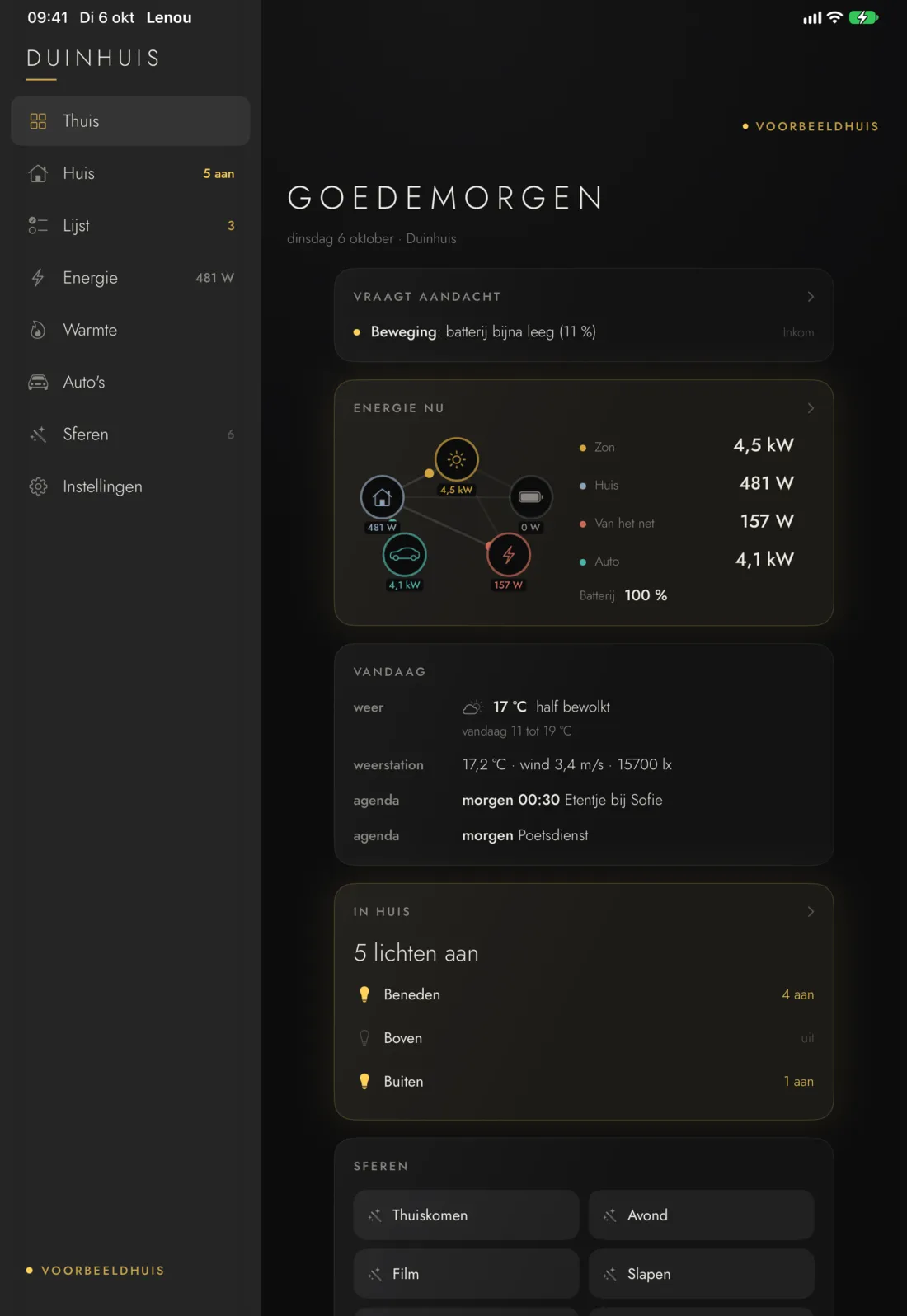
Every screen on this page comes from our simulated example house, not from a real home. Names, appointments and amounts are made up. The house in it is Dutch-speaking, so device names are in Dutch.
The app
This is what the app looks like.
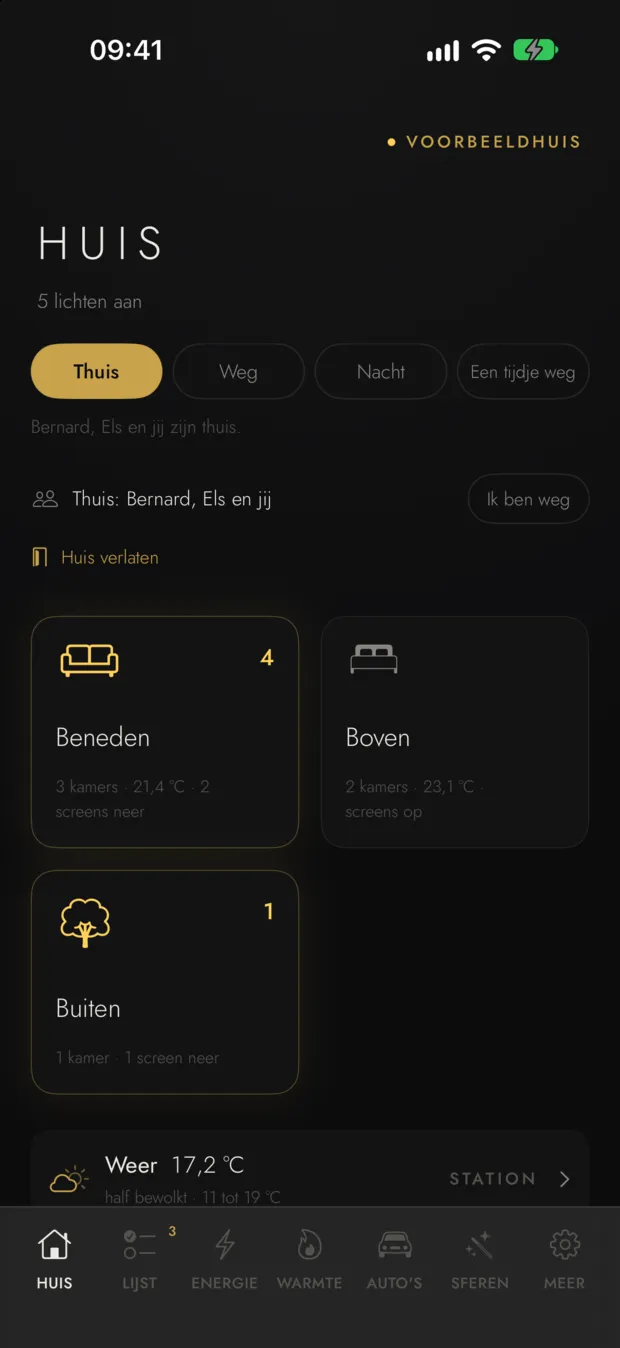
Real screens from our example house, not drawings: the app as it runs on an iPhone and an iPad. The app itself is in Dutch.
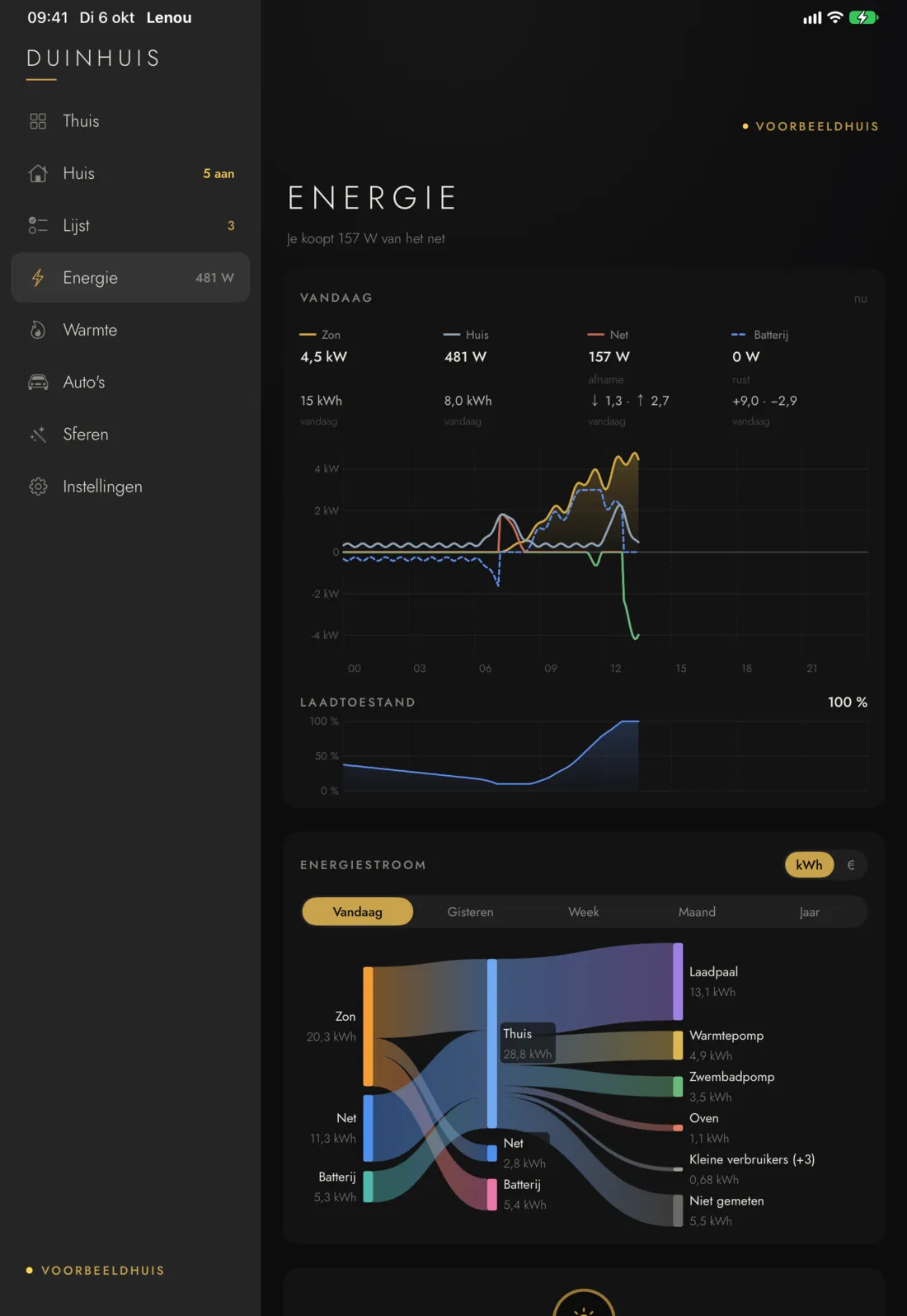
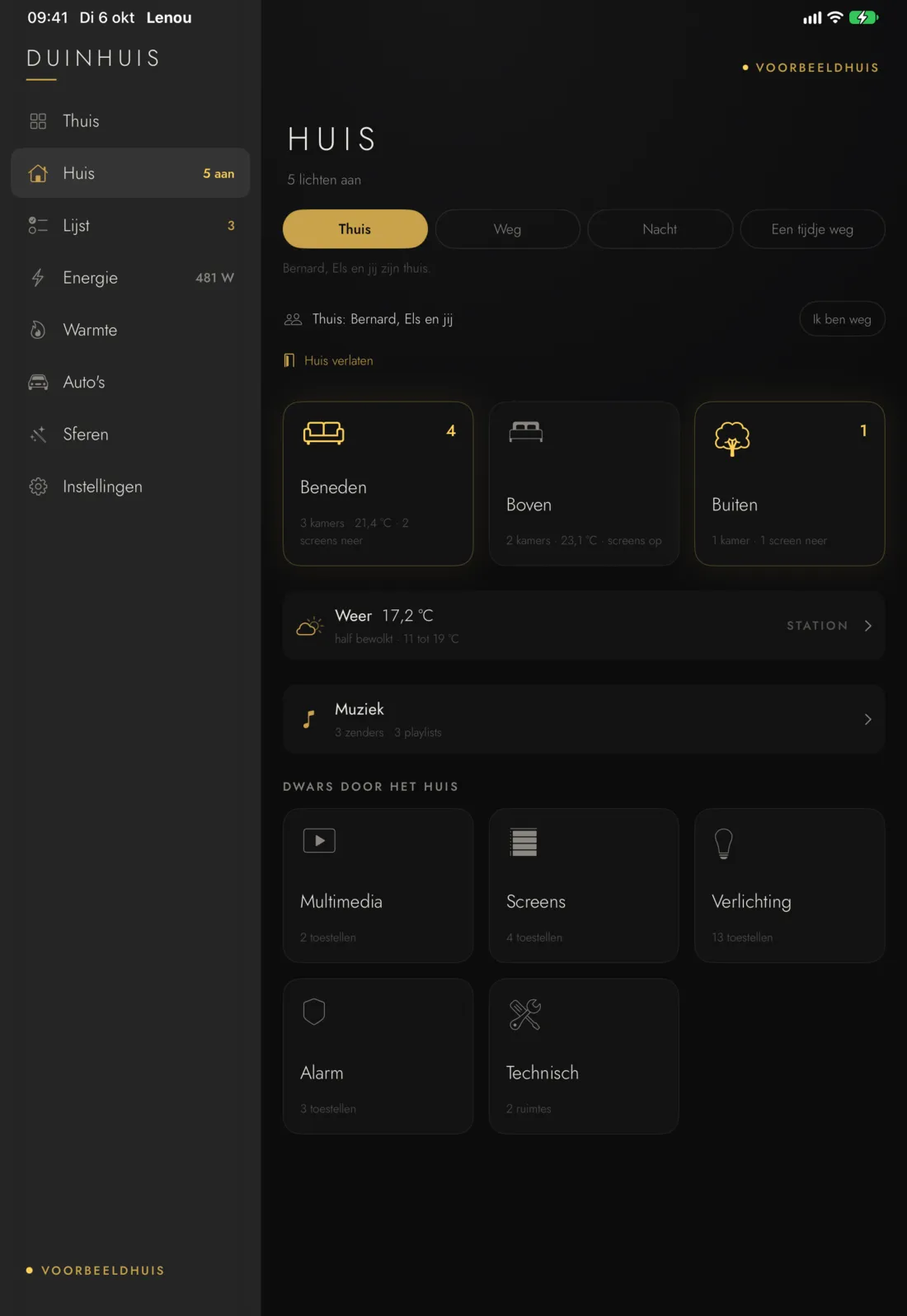
On the iPad: Home, Energy and House take turns.
1/5 · HouseThe floors, who is home and how many lights are on.
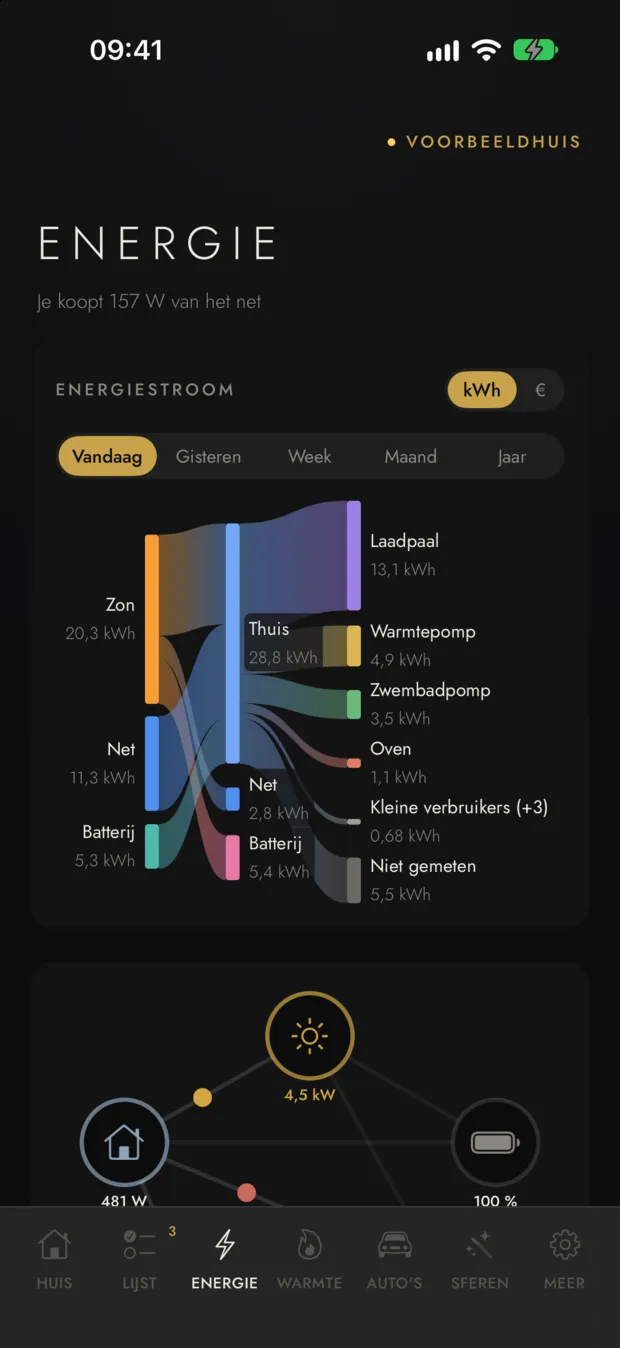
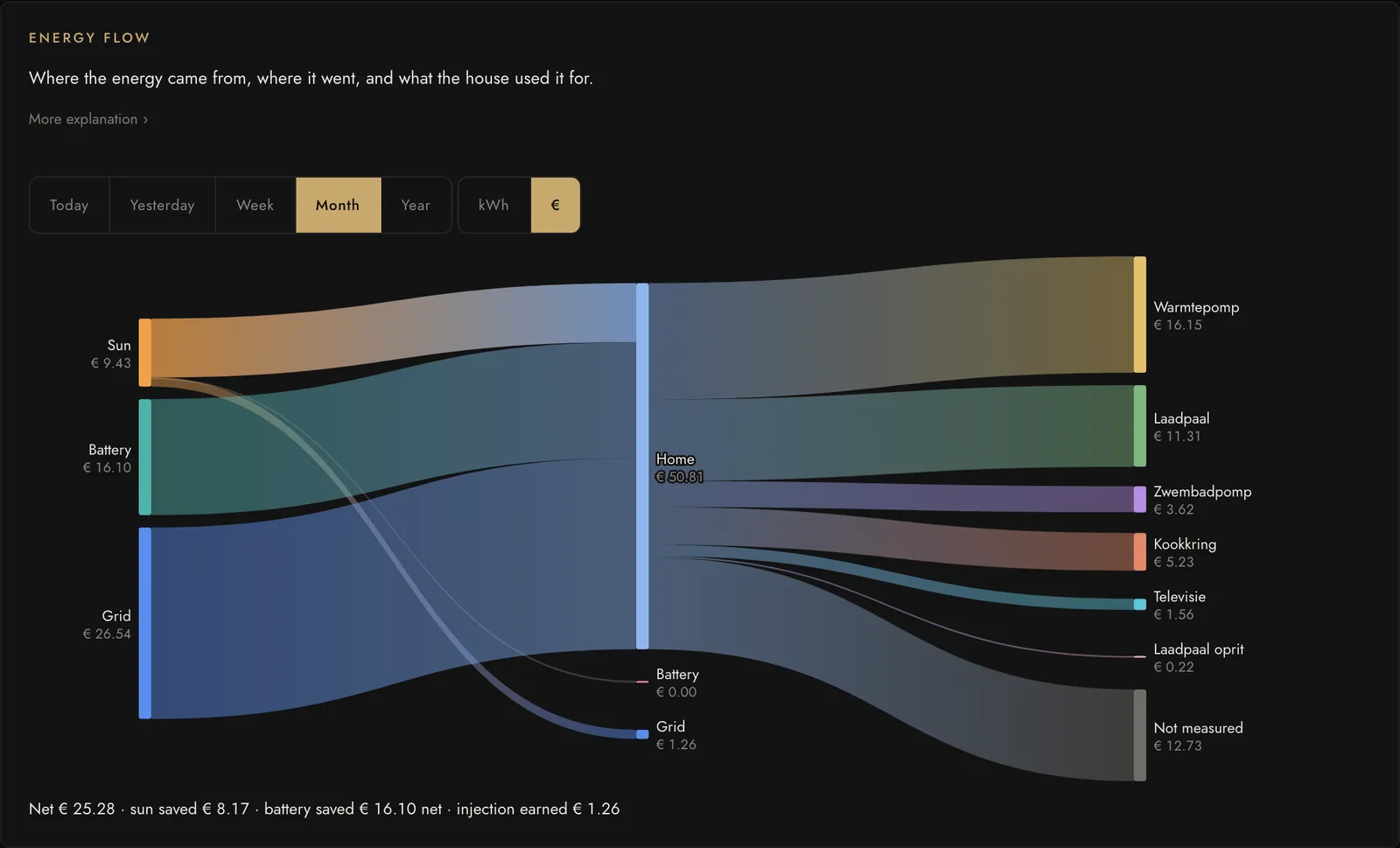
2/5 · EnergyToday's energy flow: from sun, grid and battery to every device.
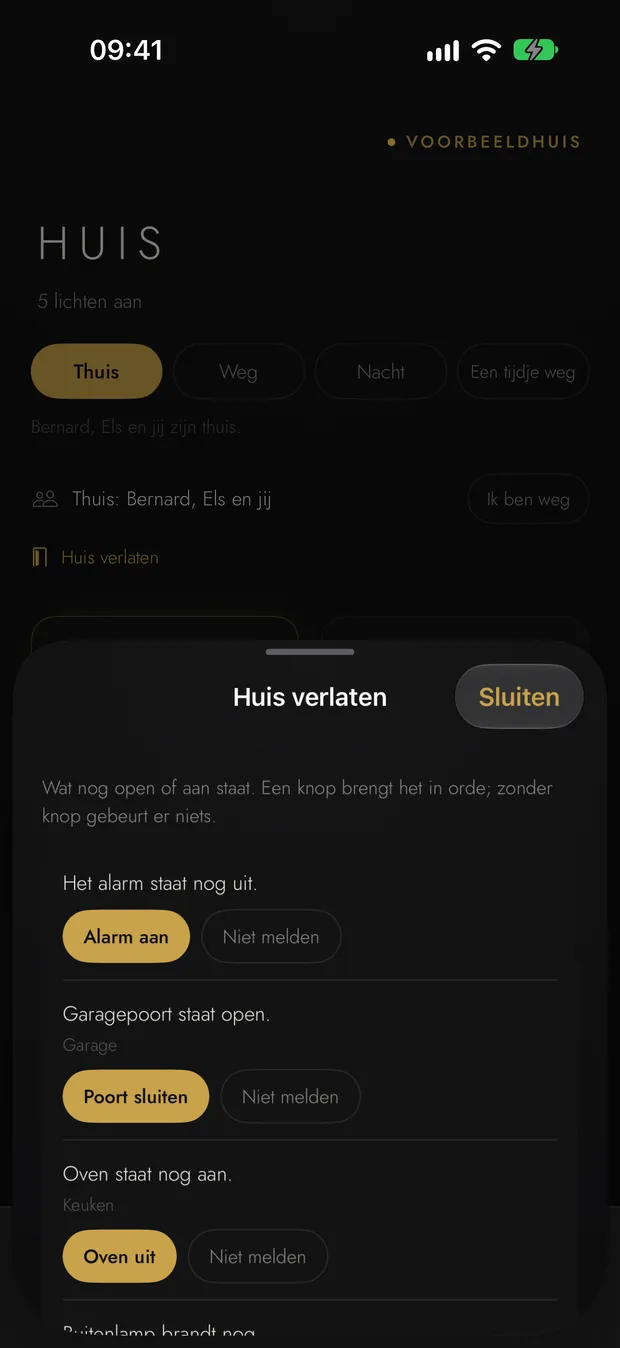
3/5 · Leaving homeWhat is still open or on, with one button to sort it.
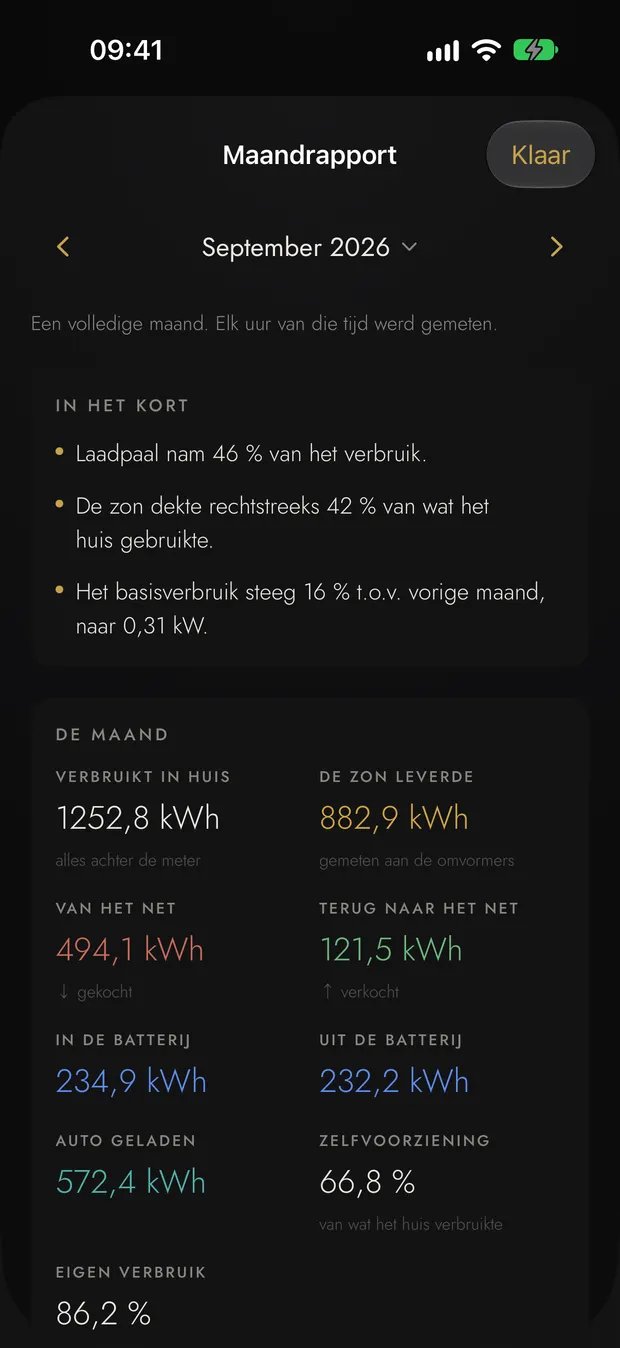
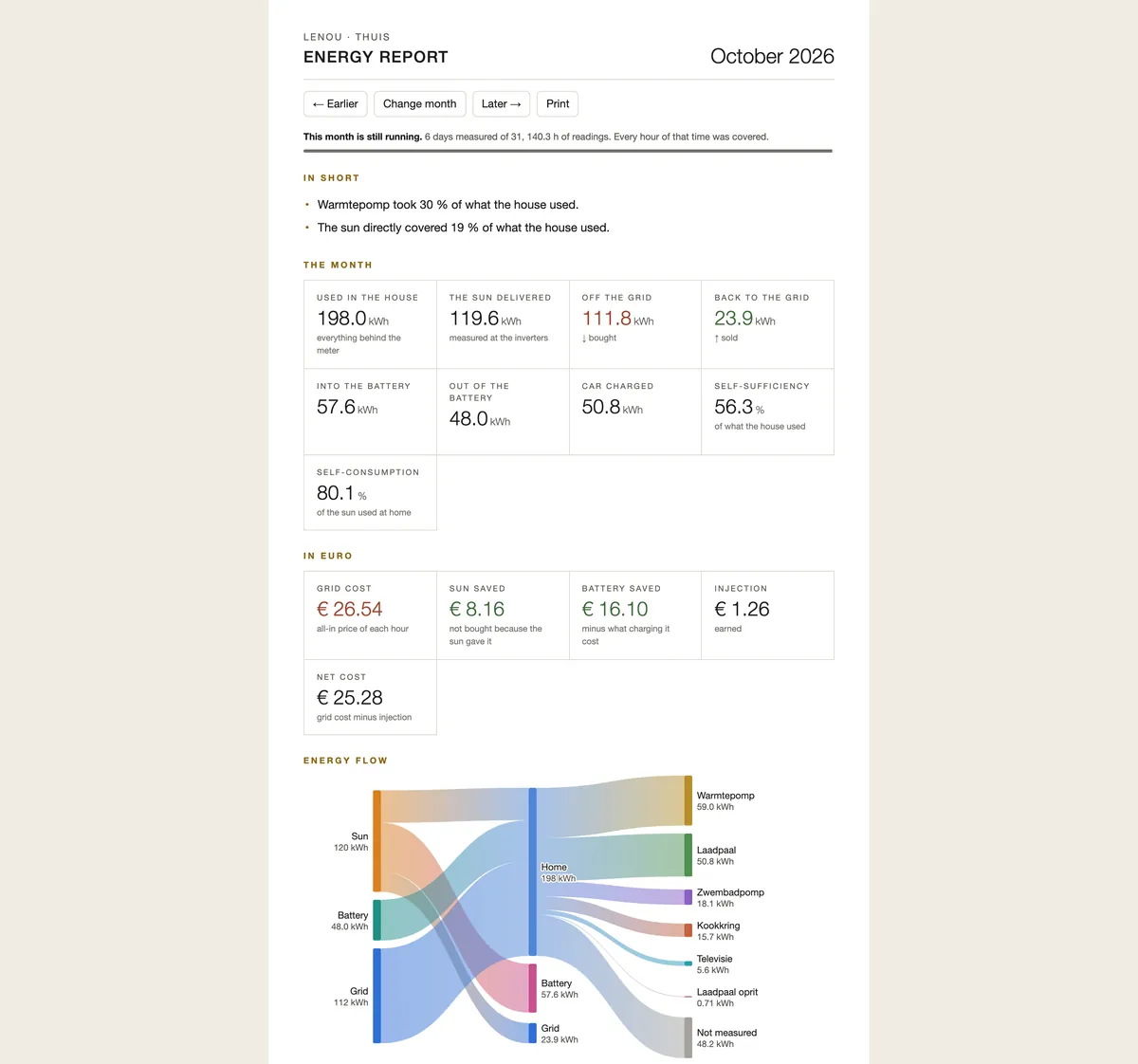
4/5 · Monthly reportA month at a glance: use, sun, grid, battery and the car.
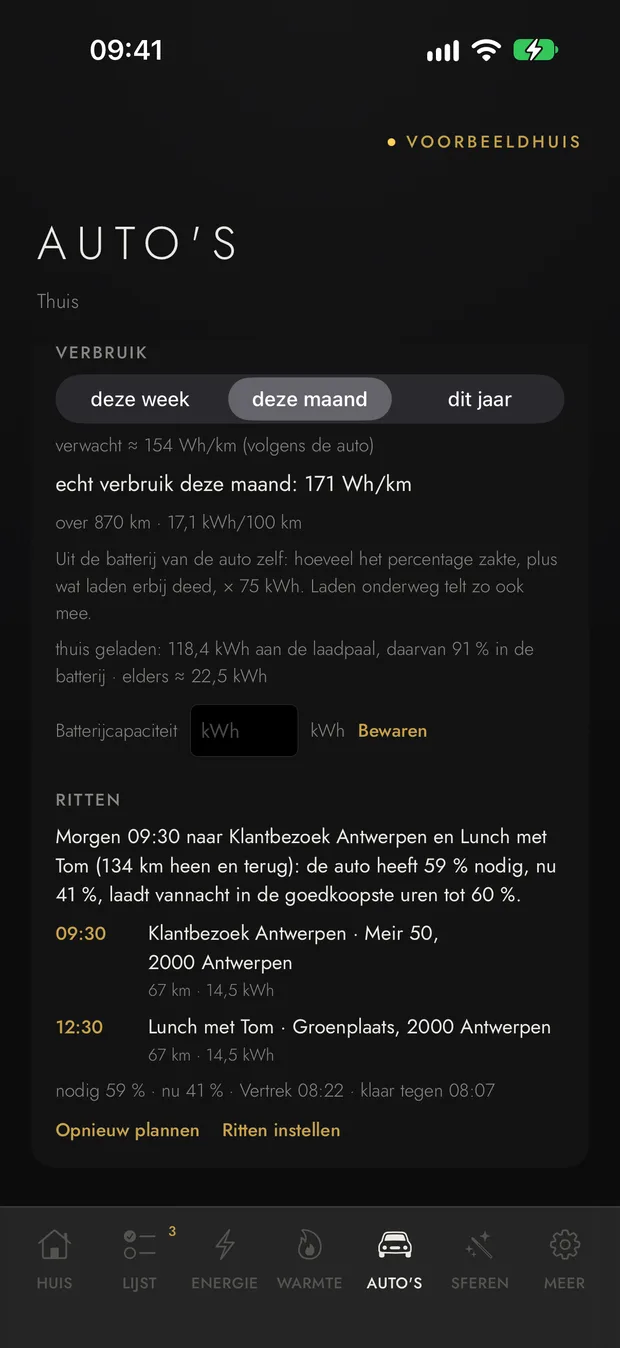
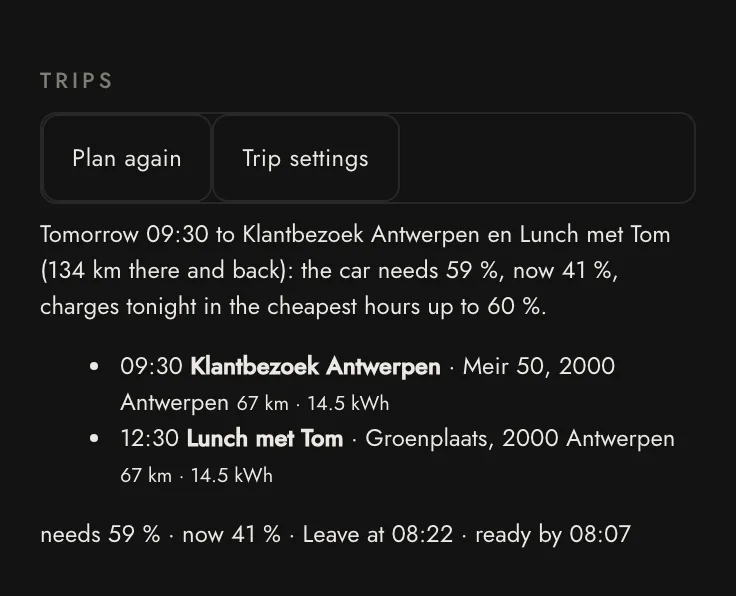
5/5 · CarsThe car's consumption, and tomorrow's trips with what it charges tonight.
New · Trip planner
Your calendar knows where you are going tomorrow. Lenou charges the car for it, tonight, in the cheapest hours.
No opening the car's app, no guessing a charge level. In the morning there is enough for the day, and no more than needed.
1Your calendar
Tomorrow2 appointments
Customer visitAntwerp
Lunch with TomAntwerp
2The trip
● Home67 kmAntwerp ●
134 km there and back
29 kWh 0.18 kWh/km + 20 % margin
3Charging tonight
reserve 20 %needs 59 %now 41 %→ 60 %
18:0002:00–05:0008:00
+14 kWh in the cheapest hours of the night
4Ready
Ready by 08:07
Leave 08:22 · 60 % on board · 20 % reserve to spare
Reads tomorrow from your calendar. Everyone in the house picks their own car and their own calendar: a Google Calendar or any other iCal calendar. A car drives the appointments of whoever chose it as their car. Only an appointment's time, title and place are read; nothing else.
Turns kilometres into kWh. There and back for each appointment, at what the car really used this month, with a margin and a reserve on top. Two appointments shortly after each other in the same town are one trip.
Charges just enough, as cheaply as possible. The charger gets "cheapest by" your departure, up to the level that is needed. On a day without trips it still charges cheaply up to the minimum you choose, say 50 %.
Wakes a sleeping Tesla. To read its charge, at most twice a day and never at night.
Tells you when it will not make it. A message in the evening with the plan, and a warning an hour before you leave if the car will fall short.
Real screen from our example house
Works with a charger Lenou controls. An appointment's place is looked up once at OpenStreetMap. Whoever does not want even that switches the lookup off and writes the distance in the appointment: "Ghent 60 km".
Save without thinking
Lenou knows what power costs each hour and where every kWh went. It turns that into euro, and into something you can do.
Energy flow, in kWh and in euro
From the sun, the grid and the battery to every device that meters itself, for a day, a week, a month or a year. In euro you see what the grid cost, what the sun and the battery saved and what feeding in earned.
A month, in euro
A monthly report to read
On the first of the month it is ready: what the house used, what the sun delivered, what you saved, your biggest consumers against the month before, your base load and your peak. At the top, at most three sentences you want to know first. Made to print.
The monthly report
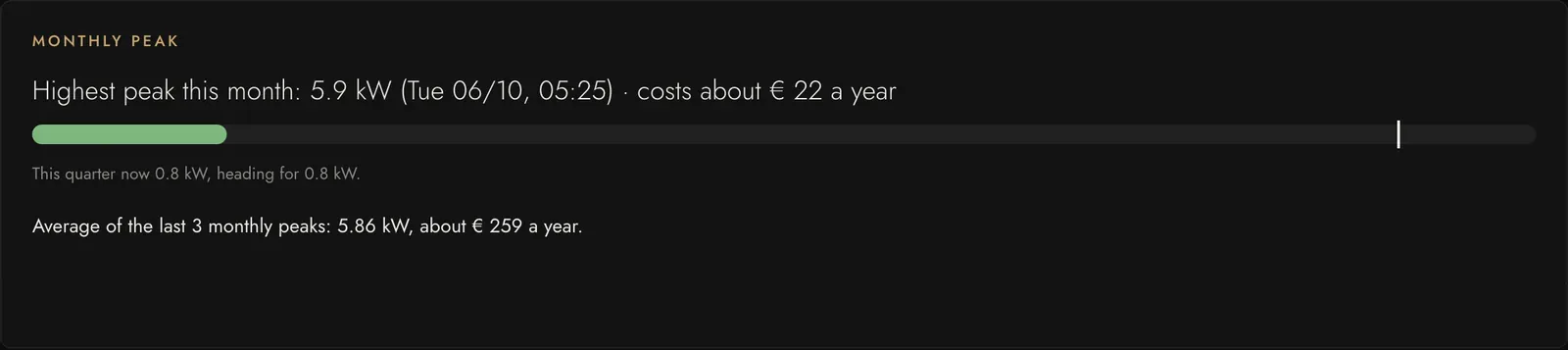
The month's peak, always in sight
The Flemish capacity tariff bills your highest quarter-hour of the month. Lenou shows the peak already set, what it costs you a year and where the running quarter is heading. When a new peak is coming, you get a message saying what draws most right now.
Monthly peak and capacity tariff
One tip a week, with an amount
Switched on by you
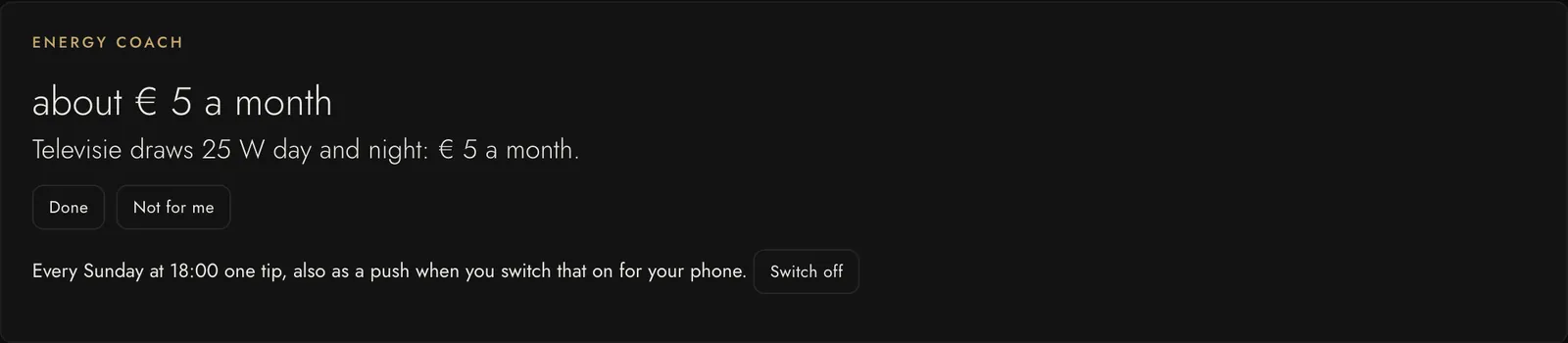
Every Sunday the energy coach looks at the last four weeks and gives the one tip that saves most, with what it saves a month: a device on standby day and night, a washing machine running in the dearest hours, a car charging dear. Done, or not for you: then it says nothing about it for eight weeks.
This week's tip
Start at the cheapest moment
Get the washing machine, dryer or dishwasher ready, say "done by 18:00", and Lenou starts it at the cheapest moment before then, counting the sun in. You get a message when it starts and when it is done. Today for Miele and Samsung SmartThings appliances with remote start switched on.
Plan against reality
When Lenou steers your battery, every morning shows what yesterday's plan promised against what the meters measured, and why they differ: less sun than forecast, other use, a battery that did something else, or another price. To the cent.
What did this shower cost?
Switched on by you
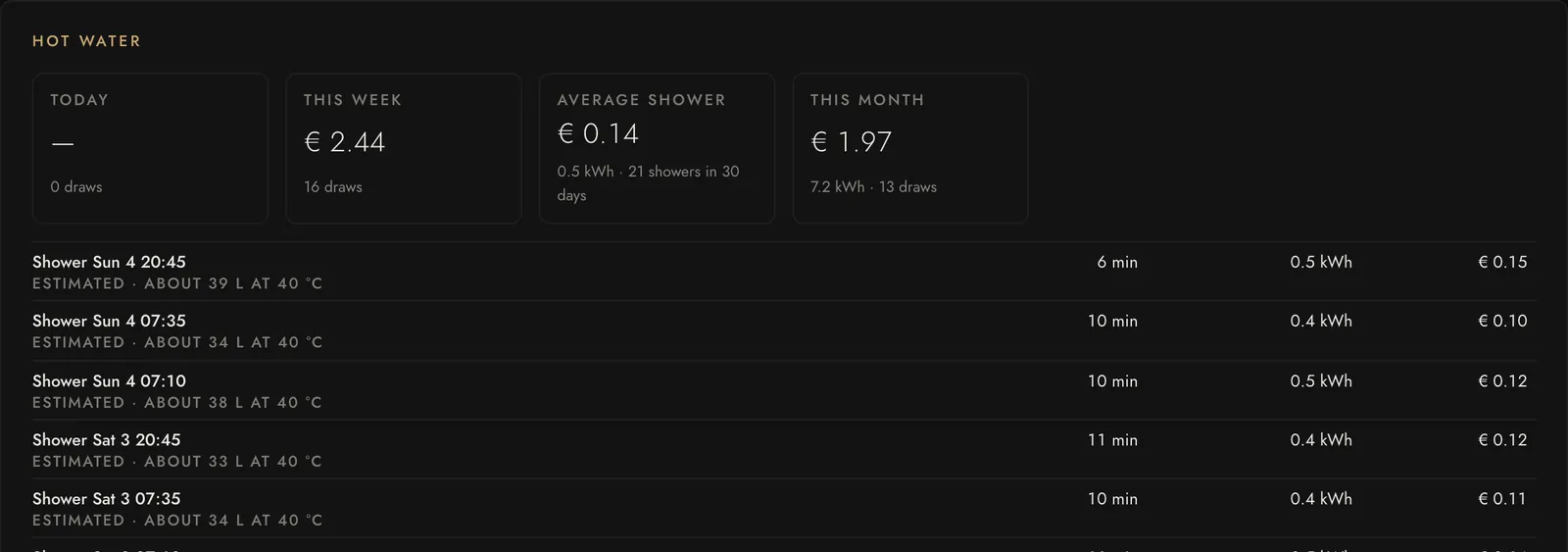
With a heat pump and a hot-water tank, Lenou reads every shower and every bath off the tank: how long, roughly how many litres, how many kWh and what it cost. Nothing is sent to a device; it only reads.
Every shower, in euro
A house that thinks along
Lenou notices what you would otherwise only find out later, and says it once, in plain words.
Leaving the house
The last one out gets one message with what is still open or on: the garage door, the iron, a lamp in the attic, the alarm. One tap per line to put it right. Nothing happens by itself.
Comfort hints
A window open while the radiator under it heats the garden. A bathroom still damp an hour after the shower. Stale air in the bedroom. 26 °C in the living room with the sun on the glass and the screens up. A night of frost and a pool pump nobody thought of. Said once, with the button that helps where there is one. At night Lenou keeps quiet, except about frost.
Welcome home
Switched on by you
A speaker by the door — Sonos, Google Home or a Loxone zone — says in a sentence or two what is different from normal: "The garage door is still open. Someone rang at 14:20." When nothing is, it stays silent.
Care at a distance Concept
For someone who lives alone: Lenou learns the ordinary rhythm of the home, such as the kitchen in the morning and the bedroom at night. When that does not come, the home first asks whether all is well, and otherwise a contact person gets a notification. No cameras. Read the concept.
Who did this?
For each device, its last hours as a list: which rule, which scene or who in the app did it, through Siri, the widget or CarPlay, with a guest link, or by hand at the switch itself.
A notification opens what it means
Tap "A car is plugged into the charger" and the charger opens, with its mode, its current and the choice of car. Every notification from a rule of your own opens the device it is about.
Safe, and yours
Your house runs in your house. You decide who may do what, and nothing gets lost.
Guest links and the sitter card
A link for the cleaner, a guest or a contractor that opens only what you chose: the front door and the hall light, on Mondays and Wednesdays from 9 to half past twelve. Nothing else of the house is on it.
A door asks for a second tap, so a pocket opens nothing.
Revoking works at once. If you like, you get a message when the door opens.
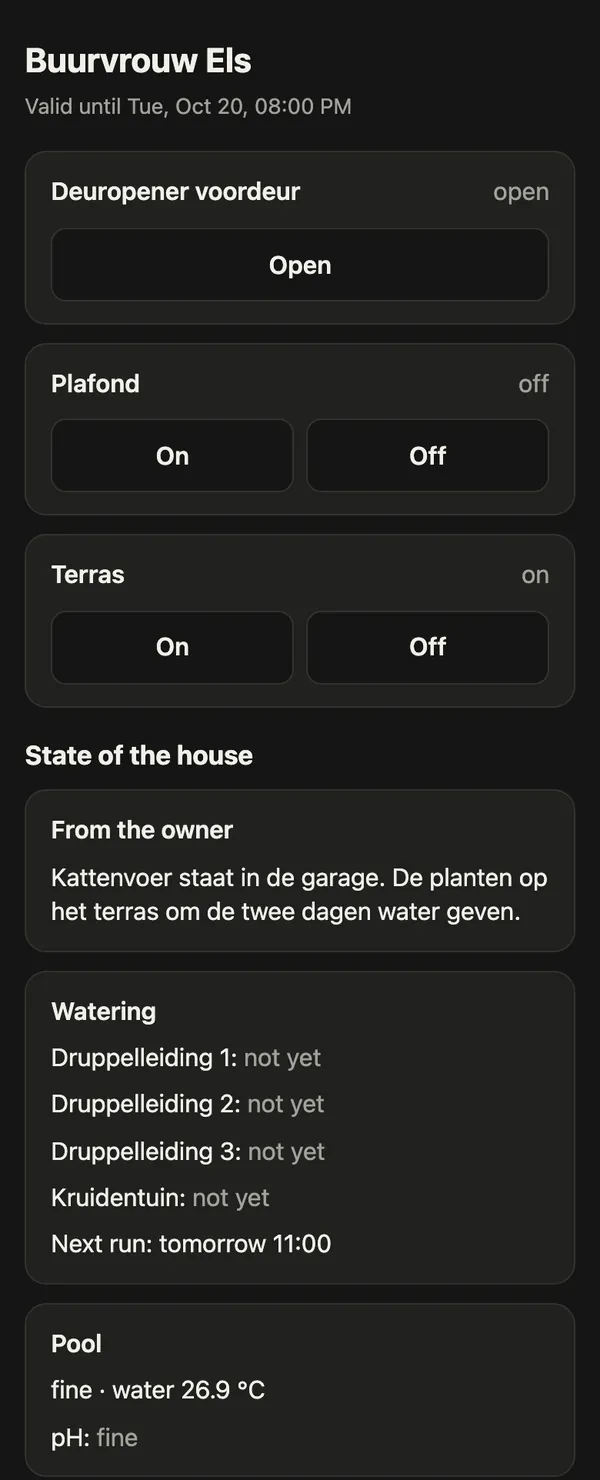
The sitter card is the same link for the neighbour who looks after the house: with the plants, the pool, the heating, what happened since yesterday, and a note from you. No cameras, and nobody's presence.
The neighbour's sitter card
Who rang this afternoon?
At every ring Lenou keeps fifteen seconds of the doorbell camera, with the Lenou mark on it. Tap the time under the camera and you see who was there, also when nobody was home.
Only a clip per ring, never continuous. Switch it on or off per doorbell.
Kept thirty days, at home in Lenou and not in the backup. Delete any clip you like.
With a Niko door station the picture comes straight from the station, without the installer's admin password.
Missed a notification? Lenou keeps for three months what went to which phone, and whether Apple accepted it.
Every change to a rule is kept
Who changed what, and when, for every rule, scene and script. One tap puts an earlier version back, also of a rule that was deleted. And putting it back can itself be undone.
An encrypted backup outside the house
Switched on by you
Every night a copy to a NAS, a USB disk or S3 storage (Backblaze B2, Cloudflare R2, Wasabi, AWS), encrypted in your house before it leaves. With a public key: not even the box can read its old copies. Only your recovery key brings a broken box back.
And what always holds: there is no Lenou account and nothing comes to us. How that works is in the privacy policy.
For installers
From a box out of its carton to a working house, in one pass.
New house: seven steps
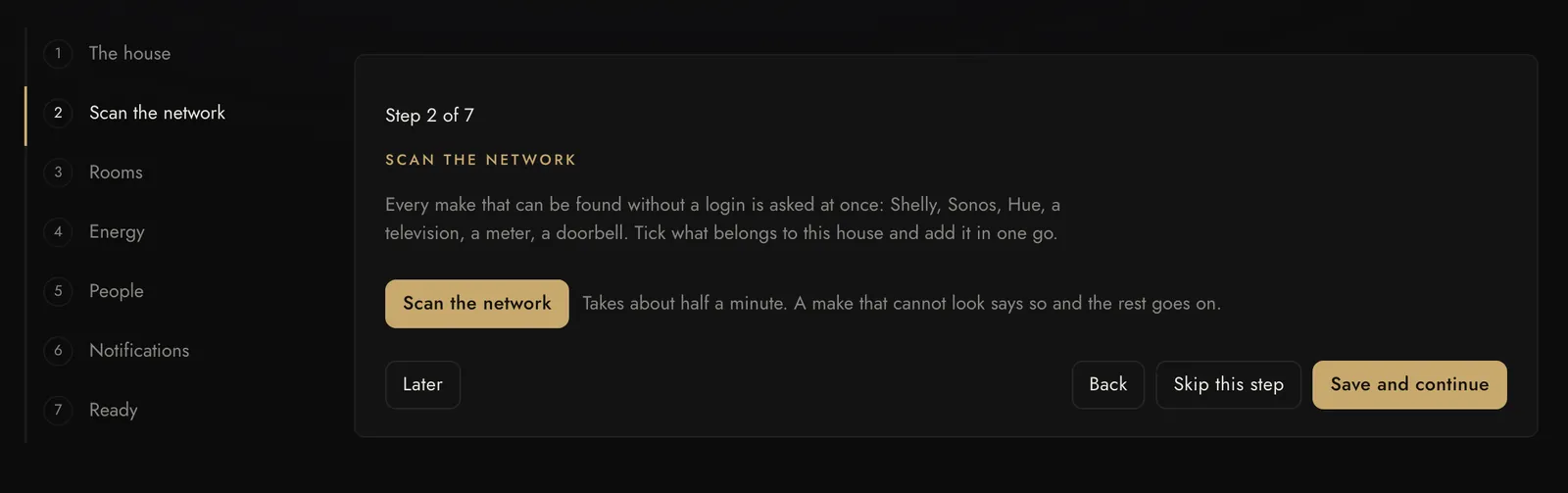
Seven steps, each one skippable. The house, a network scan, the rooms, the energy roles and the tariff, the people, the notifications. The box remembers where you stopped: your laptop today and your phone tomorrow open the same step.
One scan for every brand. Shelly, Sonos, Hue, a television, a meter, a doorbell: whatever can be found without a login is asked at once. Tick what belongs to this house.
A proposal for the rooms. "Lamp keuken" probably hangs in the kitchen. Proposed, never decided: you move what is wrong before anything is made.
After handover. A backup every night, updates that roll themselves back if they do not start well, and a fleet overview of all your boxes. How that goes is under How we work.
Would you like to install Lenou for your customers? Mail info@lenou.be.
See for yourself?
The Lenou app for iPhone and iPad has an example house on board: tap "See the example home", no box and no sign-in needed. What Lenou can connect in your house is set out brand by brand under Platforms.